
Backup & Restore
Prevent data loss and recover quickly
Fix system outages, instability and security gaps so your business keeps running and the risk of downtime falls.
Prevent data loss and recover quickly on Windows PCs, Windows Server, Microsoft Office 365 and G Suite.
Real-time protection against ransomware and cryptojacking, with blockchain-backed authenticity checks.

Microsoft Windows, Apple MacOS, File Systems (Windows), File Systems (Windows), Mobile Operating Systems
Back up and restore from anywhere through the cloud, using a simple interface.
Immediate response, 24/7
A secure backup and DR site suited to any business, built on ITSupportThailand's data protection design.
Prevent data loss and recover quickly
Back up remotely at any time — convenient and secure
Real-time protection against ransomware and cryptojacking
Because data environments keep changing, the system is continually improved to match customer needs — more than 100 new features, so your software is always up to date.

On-premises backup with cloud replication, secured for recovery
A notification centre to monitor backup status and resolve issues quickly

Battery-aware power management during cloud backups

Avoid public network connections to reduce risk

Our cloud is high-quality, fast and continually optimised

Fast backup and restore in the cloud
ITSupportThailand lets you manage and protect your data and cyber security easily from a single dashboard.
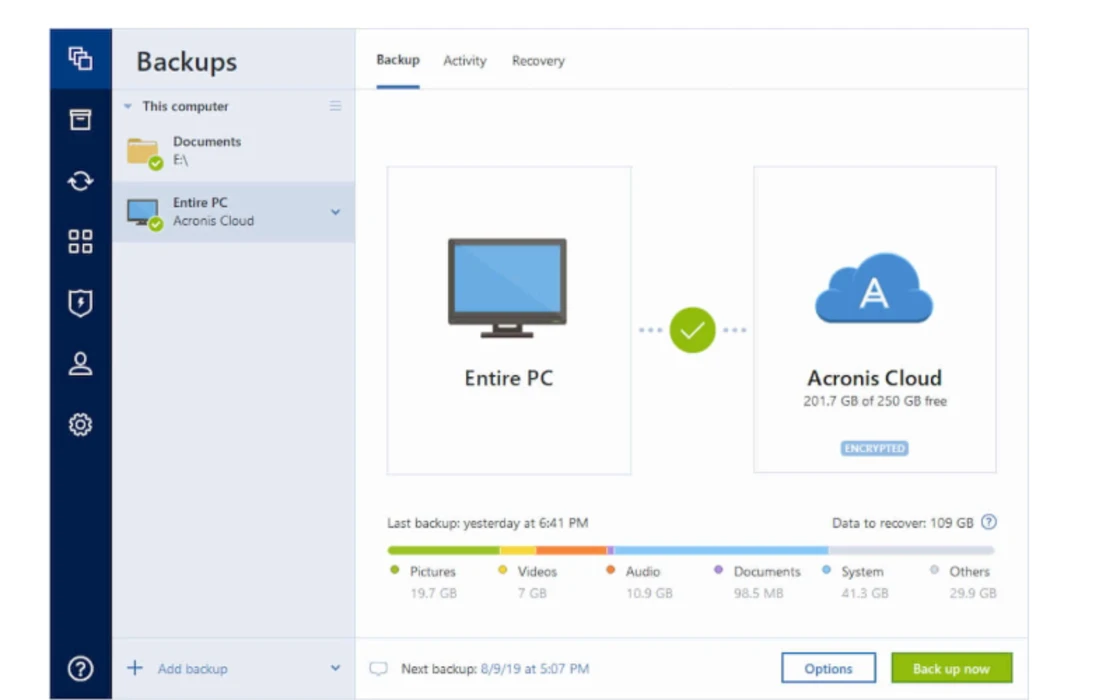

Back up exactly what you need with full mirror imaging, file and folder backup, cloud-to-cloud Office 365 backup, scheduling and automatic local-to-cloud backup.

Control where your data is stored — locally on external drives, network folders or NASNAS, off-site in the cloud, or a combination for full protection. Set Wi-Fi network approvals to avoid potential problems.

Stay on top of every backup: desktop notifications show status, file sizes and backup speed, with colour-coded data on the dashboard.

Protect all your data on any device, with support for Windows, Mac, iOS, Android and virtual machines. Works alongside other antivirus software to stop malware completely.
ITSupportThailand Ready for every kind of IT work
AI-powered detection stops ransomware in real time and automatically restores affected files.
Last year it blocked more than 400,000 attacks and stopped cryptomining malware from stealing system data. In 2020 the system was further improved through model training to stop illicit attacks.
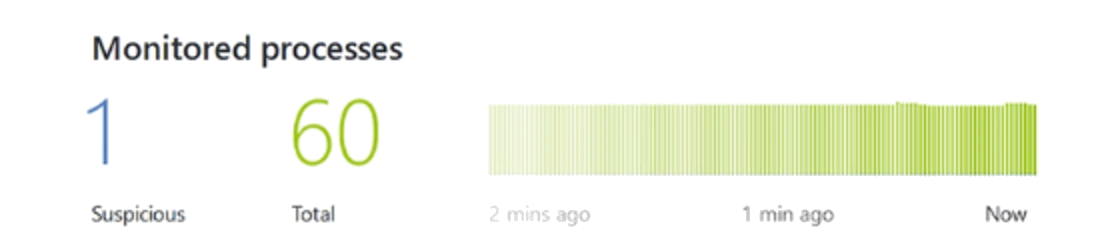
AI-powered detection stops ransomware in real time and automatically restores affected files.
Last year it blocked more than 400,000 attacks and stopped cryptomining malware from stealing system data. In 2020 the system was further improved through model training to stop illicit attacks.

ITSupportThailand delivers support that is simple, efficient and secure, because our software is continuously developed and tested. Acronis Acronis True Image 2020 has been refined more than 100 times to protect personal data online.
Data privacy and security matter more than ever.
ITSupportThailand combines innovative technology to make sure only you can see your data.
Protect your data from prying eyes in transit to the cloud and on your computer, with password-protected AES-256 encryption.
Back up to ITSupportThailand's secure systems. Our data centres meet the highest industry standards, keeping data safe and instantly available.

A unique blockchain "fingerprint" proves a file is genuine and unchanged — an added feature on premium subscriptions.
| Features | Cyber Backup | Cyber Protect | ||
|---|---|---|---|---|
| Basic | Advanced | Basic | Advanced | |
| Managed Backup + Free Setup | ✓ | ✓ | ✓ | ✓ |
| Cloud Backup | ✓ | ✓ | ✓ | ✓ |
| Local Backup | ✕ | ✓ | ✓ | ✓ |
| File Sync & Share (Cloud File Sharing) | ✕ | Free 25 GB | Free 25 GB | Free 25 GB |
| Physical Data Shipping: Enabled | ✕ | ✓ | ✓ | ✓ |
| Notary | ✕ | ✓ | ✓ | ✓ |
| Vulnerability Assessment | ✓ | ✓ | ✓ | ✓ |
| Ransomware and crypto-mining protection | ✓ | ✓ | ✓ | ✓ |
| Anti-malware protection and web protect | ✕ | ✕ | ✓ | ✓ |
| Security controls functionality (Ex. Windows Defender) | ✕ | ✕ | ✓ | ✓ |
| Protection Operations Center | ✕ | ✕ | ✓ | ✓ |
| Data discovery functionality | ✕ | ✕ | ✓ | ✓ |
| Patch Management | ✕ | ✕ | ✓ | ✓ |
| Remote Desktop | ✕ | ✕ | ✓ | ✓ |
| MS Exchange Protection | ✕ | ✓ | ✕ | ✓ |
| Group Management and Plan Management | ✕ | ✓ | ✕ | ✓ |
| STORAGE SIZE (GB) | PRICE PACKAGE (THB) | |||
| 50 GB | 350 | 450 | 450 | 550 |
| 100 GB | 700 | 900 | 900 | 1,100 |
| 300 GB | 2,100 | 2,700 | 2,700 | 3,300 |
| 500 GB | 3,500 | 4,500 | 4,500 | 5,500 |
| 1,000 GB | 7,000 | 9,000 | 9,000 | 11,000 |
| 2,000 GB | 14,000 | 16,000 | 18,000 | 20,000 |
| Above > 2 TB | 6 THB x Total GB | 7 THB x Total GB | 8 THB x Total GB | 8 THB x Total GB |
| Manage backend service | Free | Free | Free | Free |
An office hard drive can be lost along with everything else in a fire, flood or theft. Cloud backup automatically keeps copies off-site, encrypted in transit and at rest.
Windows, macOS, Linux, Windows Server, VMware, Hyper-V, Microsoft 365 and Google Workspace, plus SQL Server databases and mobile devices — so you can manage backup for the whole company from one console.
By the number of machines or workloads backed up, plus the cloud storage used, as a predictable annual fee. No hidden charges for restores.
You set the retention policy, for example 30 daily, 12 weekly and 12 monthly copies. Organisations with audit requirements can extend this to several years.
The first run uses the most, since it backs up everything. After that only changes are sent, and you can cap speed and set permitted backup windows so daytime work isn't affected.
Yes. We design the backup policy, install agents, test restores and manage the system ongoing with status reports. Call +66 2 120 1414 to discuss your needs.
Professional support for every IT problem you have
ITSUPPORTTHAILAND
Answered by our team during business hours
Hello 👋 Ask us anything about our IT services. We'll reply via: WhatsApp