
Google Meet hardware
Fast, reliable, easy-to-join web and video conferencing for meeting rooms of every size
Look more professional with cloud email on your own domain
Up to 1 TB of storage and excellent spam protection
Access email, documents, key data and storage anytime, anywhere, on any device
Work better with a complete set of tools for working and communicating across your organisation
Immediate response, 24/7

Google Workspace is a Google Cloud service providing email and a suite of productivity apps for organisations of every size. Beyond secure email on your company domain, it includes applications built for collaboration — all you need is an internet connection to use Google Workspace in full.

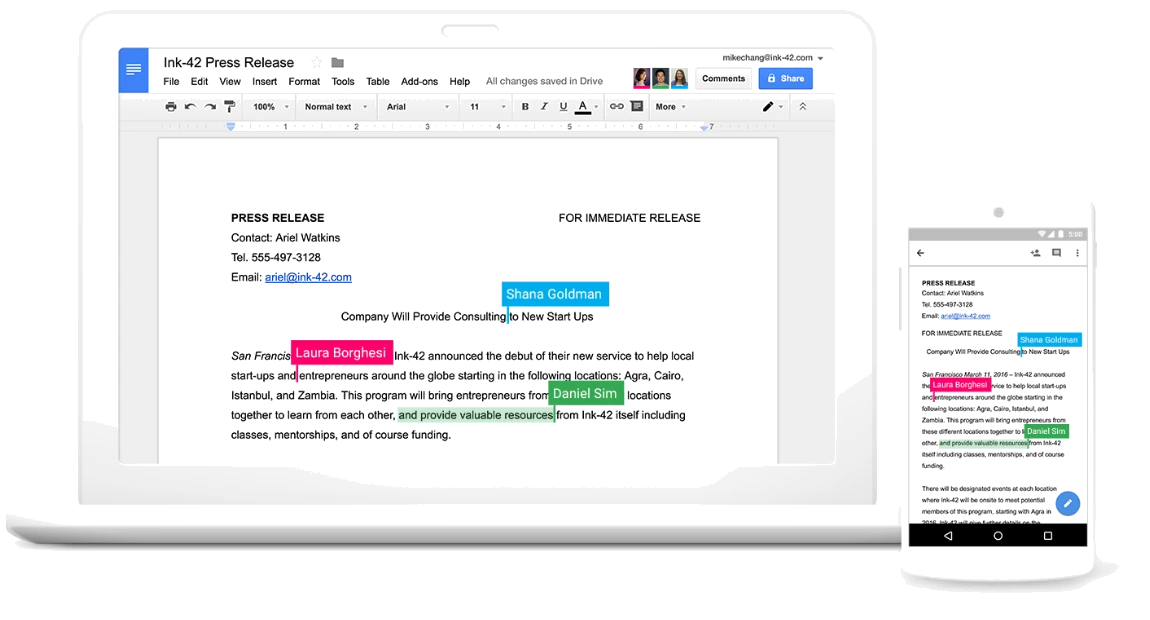
Google Workspace offers a powerful set of apps that fully replaces traditional desktop software. Whether you need to create or edit documents, spreadsheets or presentations, Google Workspace has an online app for it — no expensive software licences and no more running updates!
With Google Workspace's built-in autosave, you'll never lose your work again — everything is saved to the cloud automatically as you go. And if you need to go back, full revision history lets you see what a document looked like days, months or even years ago.
One of the most useful things about online apps is working on the same document with others at the same time. Google Workspace lets you and your team, friends or family open a document together, edit it and see each other's changes in real time, comment, chat, offer suggestions on the move — and escape the hassle of emailing attachments.
So how does it work? Google Workspace apps look and feel much like what you're used to. But instead of opening something like Microsoft Word on your computer, you simply open Google Workspace's Docs in your favourite web browser — and instead of saving to your hard drive, all your work is stored online.
And finally, you can stop attaching documents to emails to share them. With Google Workspace you share documents, spreadsheets and presentations directly, and recipients get a link to your work online.
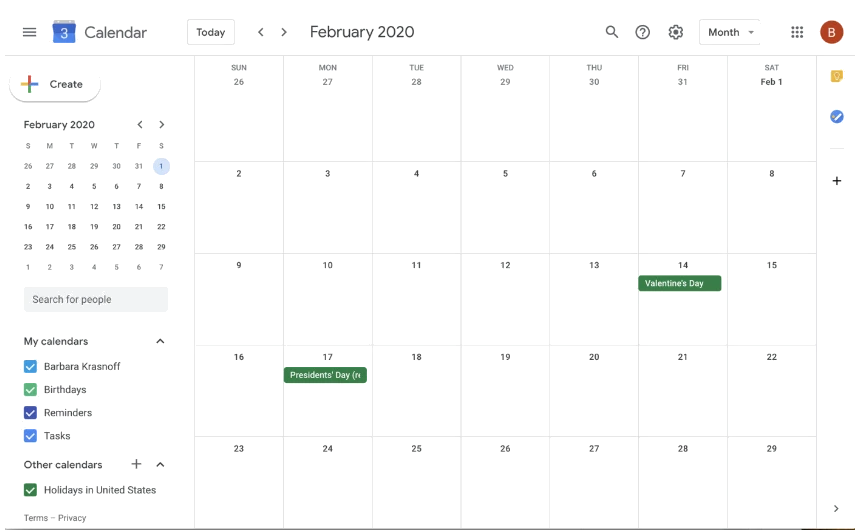
Dinner on Thursday? Dentist on Friday morning? That slam poetry night next month? Dentist aside, these are plans you don't want to forget! With Google Calendar you can free up headspace and rest easy knowing you'll never miss an important date again.
If you use Google Calendar with a team, built-in calendar sharing helps you follow team schedules, track project deadlines and plan ahead. Create shared calendars that fit your workflow, or invite particular colleagues to see your schedule and trade plans back and forth instantly.
Keep track of appointments, important dates and recurring reminders by carrying your calendar with you everywhere. Google Calendar works on all your devices — in a web browser, your favourite calendar app or the dedicated Google Calendar app for Android and iOS. However and wherever you check it, your events and reminders sync to every device instantly, so you're always on top of your day.
With Google Calendar you can set daily, monthly or yearly reminders (or anything in between) so you never forget an anniversary gift, a catch-up with friends, a new toothbrush or wishing Grandma a happy birthday!
Google Calendar gives you the freedom to capture the things you need to remember the moment you think of them on the go. Just open the app, create a one-off or recurring event, and you're set! Streamline your life and spend more time in the moment, with your schedule stored securely in the cloud and at your fingertips whenever you need it.
Hardware
Fast, reliable, easy-to-join web and video conferencing for meeting rooms of every size

A collaborative digital whiteboard that makes unlimited creativity easy, with ideas shared in real time

Unlock the business capabilities of Chrome OS, the Chrome browser and Chrome devices, and free IT to support a cloud-based workforce

A simple, affordable business phone solution for organisations of every size

A no-code app development solution that lets users build mobile and web apps without writing code
+66 2 120 1414
Contact UsGmail delivers real-time message notifications and stores your email and key data securely. IT administrators can manage accounts centrally across your organisation and devices.
Use shared calendars to see when others are free and schedule meetings with automatic email invitations
Work on documents, spreadsheets and slides across your devices easily, online or offline
Keep all your work in one place with secure access from your computer, phone or tablet
Protect company data with security options like 2-step verification and single sign-on, and use mobile device management to secure your data if a device is lost or an employee leaves
ITSupportThailand is a Google reseller. On one side you get the world's leading cloud office suite — already used by millions of businesses worldwide — and on the other, ITSupportThailand's award-winning support, setup, training and cloud expertise whenever you need it.
More and more businesses are moving to Google Workspace every day. They all have their own reasons, but here are some of the most common:
Google Workspace harnesses the full power of cloud computing. It's a new way of working that leaves behind the old frustrations of outdated software, expensive licences, hardware maintenance, incompatibility, lost files, email attachments and more.
With Google Workspace, all your files and data — including email, calendars and presentations — are stored in the cloud, and so are your software tools and apps. All you need to work is an internet-enabled device and a connection.
An easy-to-use email app with customisable addresses and 30 GB of storage per account, plus powerful email search, instant messaging and advanced spam filtering.
Organise schedules quickly, view colleagues' calendars, arrange meetings, send invitations and publish shared calendars to the web.
Create documents, spreadsheets, presentations or drawings. Users can collaborate on them online in real time.
Secure cloud storage for every business
Video meetings for your business: connect and share documents and screens with up to 15 people in real time
3 words: simplicity, accessibility and price
Google Workspace is simple. It has a friendly, intuitive interface that needs minimal user training, and ITSupportThailand has everything you need to make the switch.
Google Workspace is accessible anytime, anywhere. Unlike other on-premises email solutions, Google Workspace email (Gmail) works fully from a web browser, giving you complete access to contacts, sent mail, archives, settings, chat and more. Documents and calendars are available from any internet-enabled device too. Communication is easy — you're no longer tied to one desktop or one server.
Google Workspace saves you money. You no longer have to worry about licence fees, email server (or server room) maintenance, updates and more. There's no hardware to buy or software to upgrade, and you can leave Google's experts to worry about maintaining world-class security standards and reliability (a 99.9% uptime guarantee).
| Google Workspace Basic | Google Workspace Business | |
|---|---|---|
| Admin account setup | Yes | Yes |
| DNS updates (If domain with us) | Yes | Yes |
| Manage users (create, delete, suspend) | Yes | Yes |
| Manage forwarders & aliases | Yes | Yes |
| Manage user permissions | Yes | Yes |
| Admin console customisation | No | Yes |
| Password resets | No | Yes |
| Setting up apps on a user’s phone or computer | No | No |
| Adding, editing or customising signatures | No | No |
| Assistance with using or configuring Gmail or Outlook | No | No |
| Assistance with using or configuring Drive or OneDrive | No | No |
| Assistance with using Google Workspace or Microsoft 365 Apps | No | No |
| Create, edit or delete or share documents | No | No |
| Setup or support third party applications | No | No |
Professional support for every IT problem you have
ITSUPPORTTHAILAND
Answered by our team during business hours
Hello 👋 Ask us anything about our IT services. We'll reply via: WhatsApp