IT Support & Helpdesk
Enterprise IT management, structured around the working practices of staff at every level, with permanent on-site personnel where needed.
NAS/File Server & Permissions
File server management covering data security and access, backup and restore.
Server & Network Setup
Installation, repair and improvement of your corporate network, including wireless and LAN faults.
Backup Data / Cloud Backup
Backup systems of every kind — cloud, AWS, server and NAS — NAS to IT audit standards
ITSupportThailand AI Assistant
Immediate response, 24/7
Services / Services
ITSUPPORTTHAILAND installs LAN systems, sourcing the equipment and handling the full installation for businesses
LAN cabling services: Cat 5e and Cat 6
- LAN and fibre cabling inside and outside office buildings and factories
- LAN and fibre installation
- LAN and fibre cabling design
- Network design and installation
- Consultation and site survey before LAN and fibre cabling
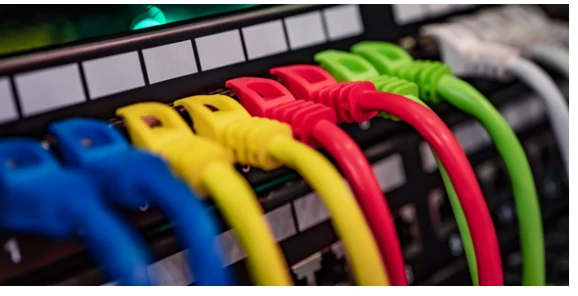
LAN topologies
BUS
Data is sent at 10–100 MB/s with devices connected on a single cable. A T-connector links each computer to the cable, and terminators at each end absorb the signal so it doesn't reflect back.
STAR
A centralised layout where every computer is cabled to a hub or switch, which acts as the centre and distributes data. The advantage is that if one computer's cable fails, the others carry on normally — but if the hub or switch fails, the whole network goes down.
RING
Data travels in one direction. A server or switch passes a token to check whether any computer wants to send, and while one is sending, the others must wait until that transmission completes.
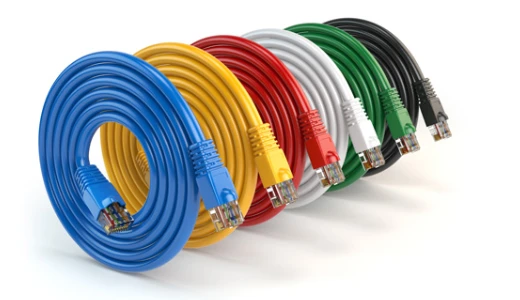
Types of LAN cable
- LAN cabling comes in several grades, such as Cat 5e and Cat 6
- Type 1 LAN cable UTP CAT 5 A low-speed copper cable with a maximum of 100 Mbps. It's little used today because of its slow transfer speed.
- Type 2 LAN cable UTP CAT 5e A copper cable with a maximum speed of 1 Gbps.
- Type 3 LAN cable UTP CAT 6 A copper cable with a maximum speed of 10 Gbps and 250 MHz bandwidth.
- Type 4 LAN cable UTP CAT 7 A copper cable with a maximum speed of 10 Gbps and 600 MHz bandwidth.
LAN cabling standards
LAN cabling must be done by technicians skilled with the equipment or properly trained staff, to avoid injury to themselves and damage to the client's property.
What's the difference between Cat 6 and Cat 5e cabling?
- Cat 6 and Cat 5e differ in speed, cable run length and price. Cat 6 has thicker copper, so it can run further and handles 1 Gbps better than Cat 5e.
- Cat 5e suits general home use up to 100 Mbps, while Cat 6 suits businesses and networks running at 1 Gbps.
Indoor UTP Cat5e and Cat6 LAN cabling
Usage: This cable suits general indoor use and is easy to install — in conduit, flexible conduit or plastic trunking, depending on the job and location.
Applications: Computer networks, CCTV, network cameras, IP phones, PLC, data and control systems, Token Ring, 155 Mbps ATM, 100 Mbps TP-PMD, ISDN, analogue and digital video, VoIP and PoE (IEEE802.3af/at), at 10, 100 or 1000 Mbps depending on connected equipment and the application. Its price has fallen considerably as faster Cat.6 has replaced it.
Indoor Cat6 UTP (unshielded twisted pair) LAN cabling
Usage: This cable suits general indoor use and is easy to install, but its diameter is noticeably larger than Cat.5e, so conduit needs to be sized up to match. It can run in conduit, flexible conduit or plastic trunking depending on the space and location.
Applications: Computer networks needing higher speed, such as CCTV, network cameras, IP phones, VoIP, PLC, data and control systems, Token Ring, 155 Mbps ATM, 100 Mbps TP-PMD, ISDN, analogue and digital video and PoE (IEEE802.3af/at), at 10, 100 or 1000 Mbps depending on connected equipment and the application. Prices are coming down but not dramatically, and faster Cat.6A and Cat.7 at 10 gigabit now sit above it.
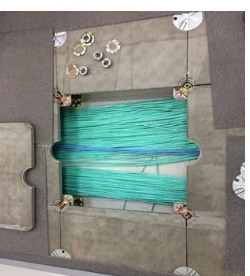
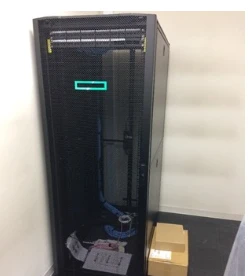
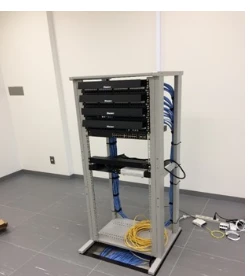
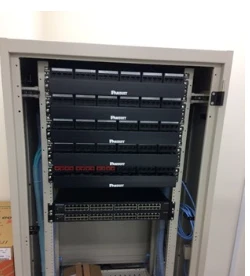
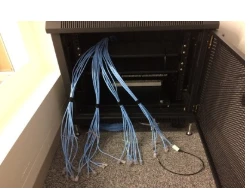
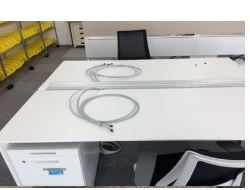
We survey and assess installation points, and our experienced professional team handles the installation with guaranteed quality.
Frequently Asked Questions
Do we have to close the office for new LAN cabling?
No. We plan the work zone by zone and schedule it for the least disruptive times, such as after hours or weekends. The switch to the new system is staged so staff keep internet access throughout.
Should we use CAT6 or CAT6A?
For a typical office running at 1 Gbps, CAT6 is enough and good value. If you plan to move to 10 Gbps or have runs close to 100 metres, we recommend CAT6A. We'll assess based on your floor plan and budget.
How do you fix patchy Wi-Fi coverage?
We run a site survey to find the real weak spots, then redesign access point positions and numbers, tune transmit power and channels to avoid interference, and set up roaming so devices switch access points seamlessly.
Is the work tested and guaranteed?
Yes. Every cabled point is tested with standard equipment and the results are handed over in writing, with cabling diagrams and every point labelled. Installation is warrantied for the period stated in the quotation.
Can you separate networks for guests or CCTV?
Yes. We configure VLANs to separate staff, guest, camera and IoT networks so none can reach another's data, with bandwidth controlled separately for each.
How long does installation take?
It depends on the area and the number of points. A small office with 20–30 points takes about 2–3 days; a multi-storey building may take 1–2 weeks. We set out the schedule and handover date in the quotation from the start.
Send us a message ...
Professional support for every IT problem you have