OFFICE 365 CONSULTING SERVICES
ITSupportThailand AI Assistant
Immediate response, 24/7
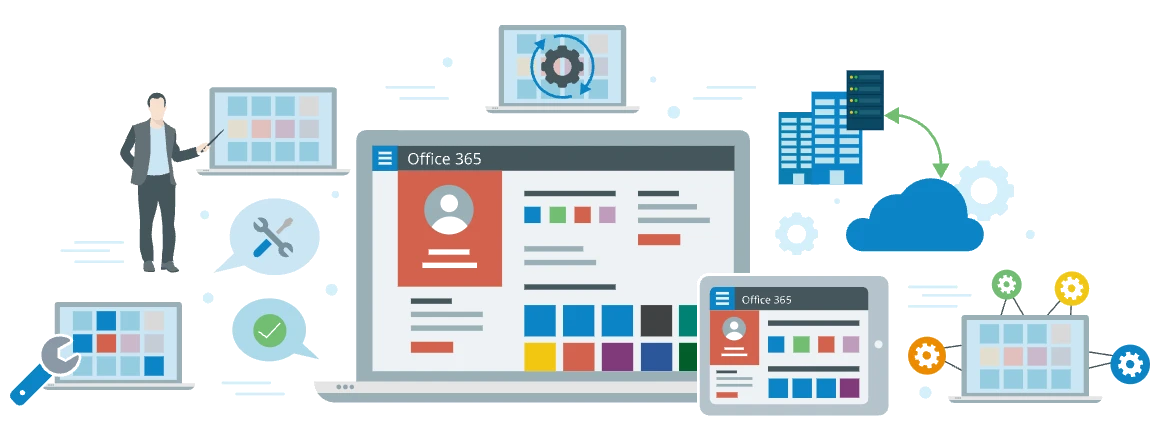
Office 365 consulting services help to map companies' business needs to relevant solutions based on the suite. Also, these services include consulting support on implementation, user adoption and evolution of Office 365 solutions.
ITSupportThailand provides all-inclusive Office 365 consulting services to enable multifaceted cloud collaboration in your enterprise with powerful cloud-hosted solutions comprising various Office 365 features.
- ✔Professional team of Microsoft-certified developers.
- ✔12 years of experience with SharePoint consulting and development.
- ✔Projects with Office 365 since its first release in 2011.
- ✔Certified experts in Microsoft Azure.
SET UP YOUR OPTIMAL OFFICE 365 ECOSYSTEM
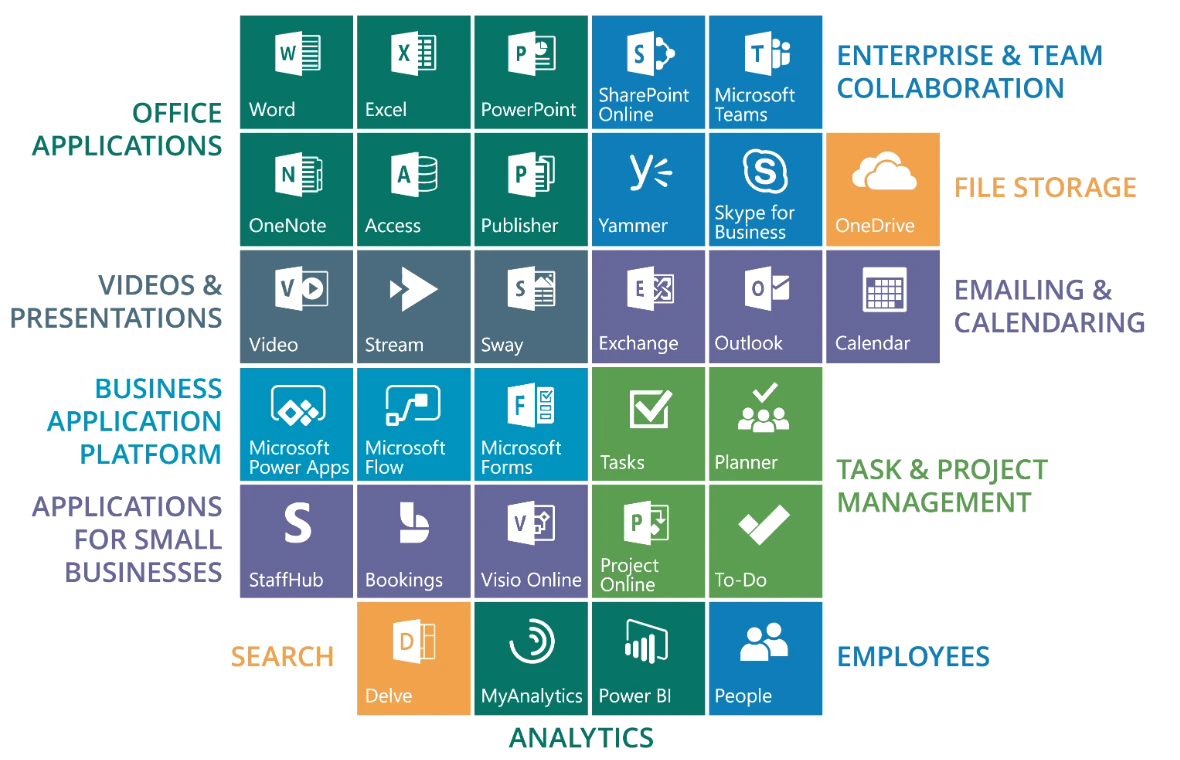
Office 365 includes a variety of applications and services that form the basis of employee digital workplace. We help organizations to compose an individual Office 365 collaborative toolset depending on their business specifics and collaboration requirements.
WE PROVIDE ALL OFFICE 365 SERVICES IN A SINGLE KIT
We help organizations compose a personal Office 365 collaborative toolset depending on their business specifics and collaboration requirements. Our team provides consulting support at each stage of implementing an Office 365 solution, including deployment, customization and user adoption.
Office 365 consulting
When you decide to start your cloud path, we are to back you up on the way. Our Office 365 consultants help you make your cloud solution an integral part of the enterprise digital environment and a useful tool for each employee. We provide both advisory and technical assistance depending on your business needs.

Office 365 implementation
We help you select a suitable Office 365 subscription plan aligned with your budget, IT strategy and collaboration scope. We can implement the selected Office 365 toolset in line with the Microsoft requirements and set your cloud solution to ensure its efficient management and use.

Office 365 customization
We tailor your Office 365 solution to your specific corporate environment, industry requirements and employees' preferences. We handle all-out customizations and develop unique custom features, including complex workflows, branded site templates, interactive chatbots, ready-to-go custom add-ins and more.

Office 365 migration
Our team helps you plan and carry out smooth migration of your on-premises, cloud or hybrid solutions to Office 365 along with preserving the integrity of your business data. To assess the preliminary scope of your Office 365 migration project, you are welcome to use our Office 365 migration calculator.
Office 365 integration
We tailor your Office 365 solution to your specific corporate environment, industry requirements and employees' preferences. We handle all-out customizations and develop unique custom features, including complex workflows, branded site templates, interactive chatbots, ready-to-go custom add-ins and more.
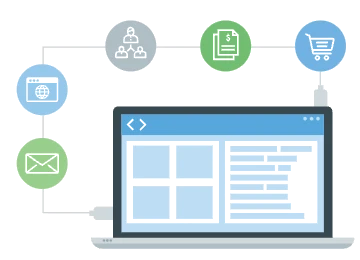
Office 365 support
We offer flexible support options to let you stay in line with the platform updates, implement the latest Office 365 features, extend your solution with custom functionality and prevent it from any turbulence. To prevent any potential difficulties with the Office 365 adoption, we provide dedicated training sessions for Office 365 admins, developers and end users to help them manage and utilize their cloud solutions efficiently.

OUR PORTFOLIO OF OFFICE 365 SOLUTIONS
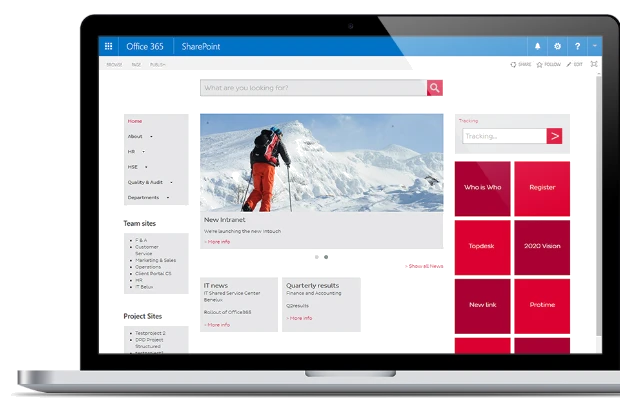
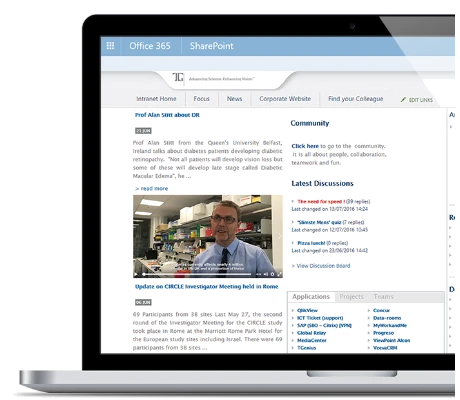
We deliver Office 365-based solutions that serve daily in banks, financial institutions, manufacturing, healthcare, retail and other organizations of different sizes and business domains. Explore the examples of our Office 365 projects:
WHY CHOOSE ITSUPPORTTHAILAND AS YOUR OFFICE 365 CONSULTANT?
We offer comprehensive consulting on the capabilities of the Office 365 suite and prioritize the following activities:
- ✔Ensuring a smooth transition to the cloud to let you reshape IT infrastructure and restructure IT staff painlessly.
- ✔Implementing an optimal set of Office 365 applications to let your employees benefit from every single element of their new digital workplace.
- ✔Finding the right balance between your customization requirements and Microsoft restrictions to help you get a highly functional solution.
- ✔Enabling stable protection of your cloud solution where corporate content, sensitive data, employees' knowledge and expertise are immune.
- ✔Taking care of user adoption from the planning stage to guarantee your solution or its particular features are popular and meet users' needs.
WHY CHOOSE OFFICE 365?

YOUR CONCERNS :
- ❝I want all my team to use the latest version of the global de facto standard office software suite, including remote workers.
- ❝I can't afford to devote precious IT resources to constantly updating, patching and monitoring our servers and software.
- ❝I balk at the amount we have to pay for per-system licenses of our office software every time a new version is released.
- ❝I'm worried about maintaining backup s of my business-critical data, emails and documents and keeping them safe from unauthorized access.
- ❝I need a secure email system that includes webmail and has stringent anti-virus and anti-spam protocols.
- ❝I need a world-class document sharing, project collaboration, workflow monitoring, time management and internal communication platform for myself and my staff.
- ❝I want us to have access to all of this from anywhere on any device, regardless of language or operating system - including our phones and tablets.
- ❝I need help getting our existing files, contacts, projects, email, schedules... basically all of my company's data, into this new system. And I need reliable bilingual support.
WHAT YOU RECEIVE
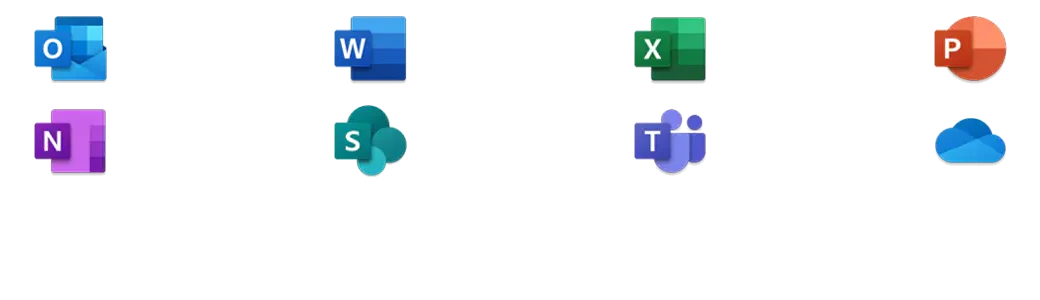
- ✔A full suite of the latest Microsoft Office productivity software, accessible from anywhere on any device. Familiar tools including Word, Excel, PowerPoint, and Outlook using standard file formats like DOC, XLS, and PPT.
- ✔Microsoft Exchange Server – the global standard for all your email and calendar needs, hosted in the Microsoft cloud with the best in anti-virus and anti-spam technology.
- ✔Microsoft Teams – Your one-stop hub for internal communications. Private or group instant messaging, audio chat, video conferencing with screen sharing, file-sharing and virtual whiteboards, notebooks and wikis on all your devices.
- ✔Microsoft OneDrive for Business – 1TB of cloud storage per user with enterprise-grade security, file or folder sharing and collaboration.
- ✔Microsoft OneNote – Your very own digital notebook. Take notes with text, images, audio, video, links and files. Share with others inside and outside your organization. Supports handwriting with finger or stylus.
- ✔Microsoft SharePoint – A powerful intranet that lets you work on documents together, monitor a project's progress from anywhere, and host in-house information portals.
- ✔Microsoft Planner – Project management tools with tasks synced to Outlook and To Do.
- ✔Microsoft To Do – Personal to do lists in the cloud on your PC and phone, including all your tasks from Outlook and Planner.
- ✔Office Delve – Search for keywords across all apps and files on your Office 365, with recently accessed items for all users.
- ✔Microsoft Flow – Automation for useful tasks. Chain apps together to automate common, repetitive workflows and gather useful data. No coding required.
- ✔Yammer – A private social network for your business with all the features you're used to - timelines, likes, follows, groups... Plus enterprise-level admin tools.
- ✔Power BI – Business Intelligence with powerful data visualization tools and natural language queries.
- ✔Office 365 online can be used on almost any platform that has a browser and an internet connection, including touchscreen devices. Desktop apps are available for Windows and macOS. Native apps are also available for iOS, iPadOS, and Android.
- ✔On plans that include apps, each user can install Office on up to 5 PCs or Macs + 5 phones + 5 tablets.
COST
- ✔Lower overall cost than the average on-site solution.
- ✔A range of packages are available for organizations of all sizes, from individuals to large enterprises with thousands of employees. Entry level email + OneDrive + Teams through to the entire suite with enterprise-grade compliance.
- ✔Licensing costs are charged on a per-user basis, scaling with your business.
PEACE OF MIND
- ✔All updates and patches are covered by your subscription and carried out by Microsoft on their cloud servers, so no action is required at your end.
- ✔All backups are handled by Microsoft and stored in their global datacenters.
- ✔Unbeatable standards-complaint security from a world IT leader.
- ✔Complete privacy – Microsoft does not scan emails or documents for advertising purposes.
- ✔Send encrypted emails to anyone, even people outside your organization.
- ✔Multifactor authentication – secure logins that go beyond simply entering a password.
- ✔Extremely reliable servers with 99.9% uptime guaranteed.
OUR SERVICE PACKAGE
- ✔We are a certified Silver Microsoft Partner for Small to Midmarket Cloud Solutions (SMCS).
- ✔We import all your existing data into the new Office 365 system and customize everything to meet your needs.
- ✔We handle any kind of complex coding to integrate Office 365 with your specified workflow requirements, such as interactions with databases and any other IT systems you rely on.
- ✔We provide ongoing bilingual support and tuition for your Office 365 installation.
Frequently Asked Questions
Which Microsoft 365 plan should we choose?
Business Basic suits companies that mainly use email and web-based Office. Business Standard adds desktop Office apps, and Business Premium adds security and device management. We can compare them against how you actually work.
Can our existing email be migrated? Will anything be lost?
Yes, and nothing is lost. We move past email, calendars and contacts, and set the old and new systems to receive mail in parallel during the switchover so not a single message is missed.
How long does migration take?
For 20–50 accounts, about 3–5 days — mostly the system copying data in the background. Staff keep using email as normal and switch over at the agreed time.
Doesn't Microsoft 365 already back up our data?
Microsoft ensures the service is available, but doesn't provide long-term backup. If data is deleted by a user or lost in an attack, it may be unrecoverable once the retention period passes, so a separate backup is advisable.
Can it work alongside Google Workspace?
Yes. Many companies run both during a transition or by department. We set up mail forwarding and calendar sharing so the two systems work together smoothly.
Is user support available after setup?
Yes — creating and closing accounts, setting up new devices, recovering deleted email and solving day-to-day problems, plus basic training for staff. Call +66 2 120 1414.
Send us a message ...
Professional support for every IT problem you have